
Until now, automatic delivery could only be configured for portatour® Reports for users and only by manually entering email addresses. New from now on:
- portatour® Reports for organizations and user groups can now also be sent automatically.
- Recipients can also be selected automatically based on the permission levels in user management, using the email addresses stored for the users.
- You decide the day and time window for delivery yourself.
All portatour® Report-related settings are now grouped in their own portatour® Report section in the options.
Set up organization default for report delivery
This update affects administrators and supervisors of company accounts with at least two users.
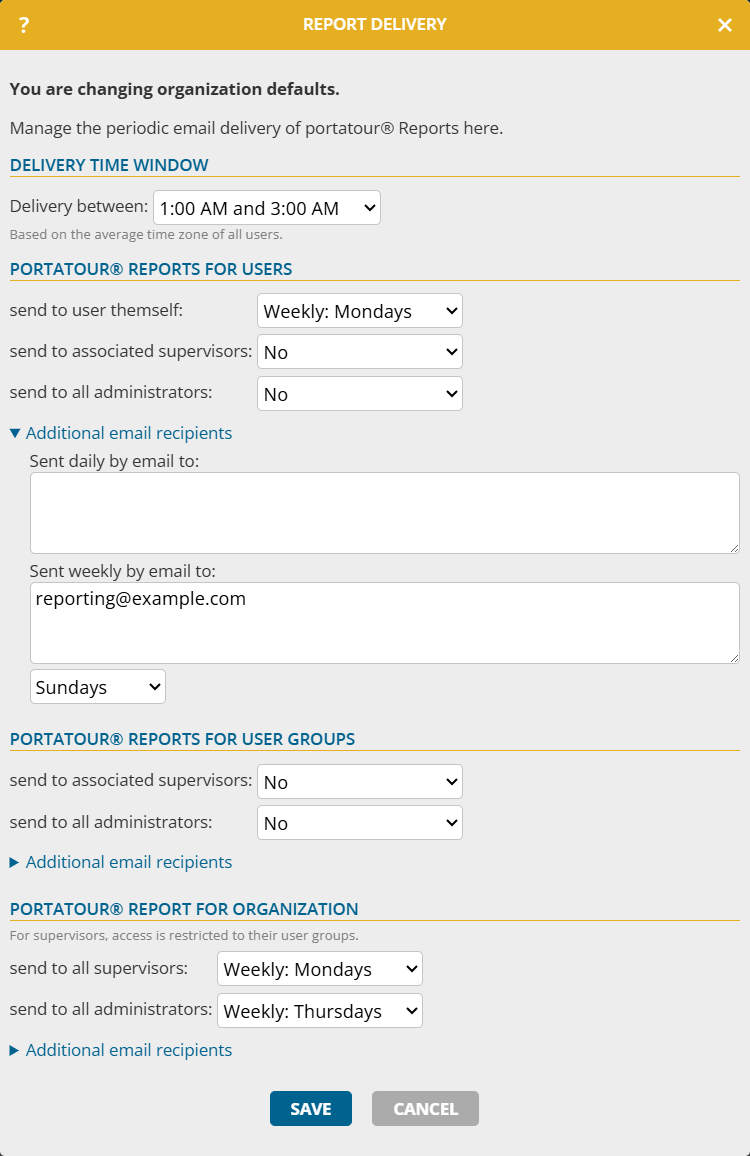
To configure organization-wide report delivery, proceed as follows:
- Open the organization options in the workspace organization.
- Click portatour® Reports > Periodic report delivery via email.
- Under Delivery between, define when the reports should be sent.
- Configure the delivery schedule for portatour® Report for users, portatour® Report for user group and portatour® Report for organization. For each recipient group, select: No delivery, Daily or Weekly on a selectable weekday.
- Click Save.
Notes:
- The existing email addresses from Daily email to and Weekly (Sunday) email to have been automatically transferred to the respective Additional email recipients. Report delivery continues to behave as before.
- This extension is not available if portatour® is connected to Dynamics CRM as the data source system.
Customize periodic report delivery for users
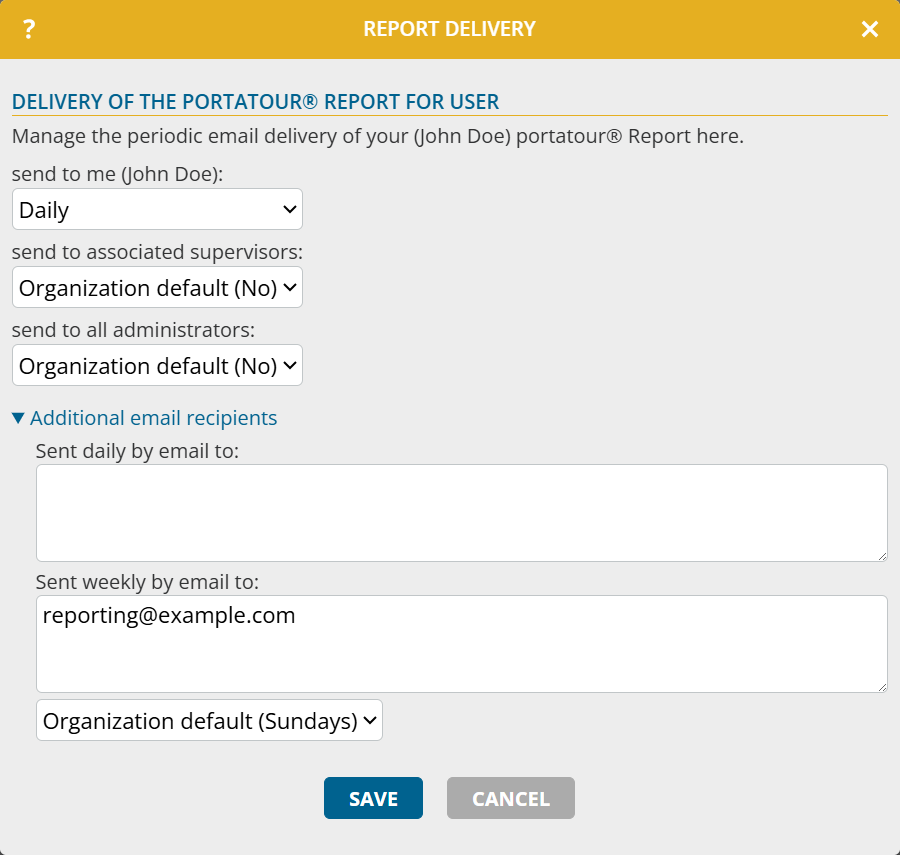
To customize report delivery for users with their own schedule, proceed as follows:
- Open the Options.
- Under portatour® Reports, click Periodic report delivery via email.
- Under Delivery of the portatour® Report for User , you can overwrite the organization default for individual settings and define whether your report is sent to yourself, to associated supervisors and/or to all administrators.
- Click Save.
Notes:
- The existing email addresses from Daily email to and Weekly (Sunday) email to have been automatically transferred to the respective Additional email recipients. Report delivery continues to behave as before.
- For individual accounts, the settings for supervisors and administrators cannot be entered.
- If portatour® is connected to Dynamics CRM as the data source system, only the additional email recipients can be entered.
- For administrators: With the new permission Edit portatour® Report settings, you define which authorization levels can customize Periodic report delivery. The permission is initially set to the same value as the existing permission Edit reporting settings
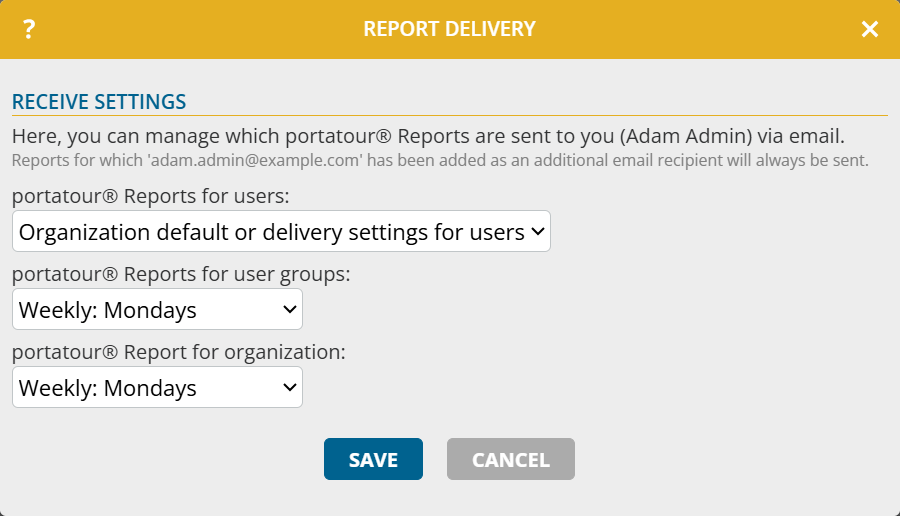
As an administrator and supervisor, you have Receive settings. There, you can define for yourself which reports are sent to you, independently of the organization default. Proceed as follows:
- Open the Options.
- Under portatour® Reports, click Periodic report delivery via email.
- Under Receive settings, define which reports are sent to you and when.
Note: This extension is not available if portatour® is connected to Dynamics CRM as the data source system.