
The following updates affect administrators and supervisors of company accounts with activated Territory Optimization.
Actual visits visible in the initial situation
Until now, in the initial situation you could see how many visits are planned according to customer settings and how many would theoretically be possible when taking driving time into account, but not how many were actually achieved in the past. From now on, you can see this information in the new column Calls reported. To display it:
- Open Territory Optimization for the organization or the desired user group.
- If necessary, switch to Initial situation > Analysis.
- Click the table section Users to expand it.
- The column Calls reported appears on the far right of the section.
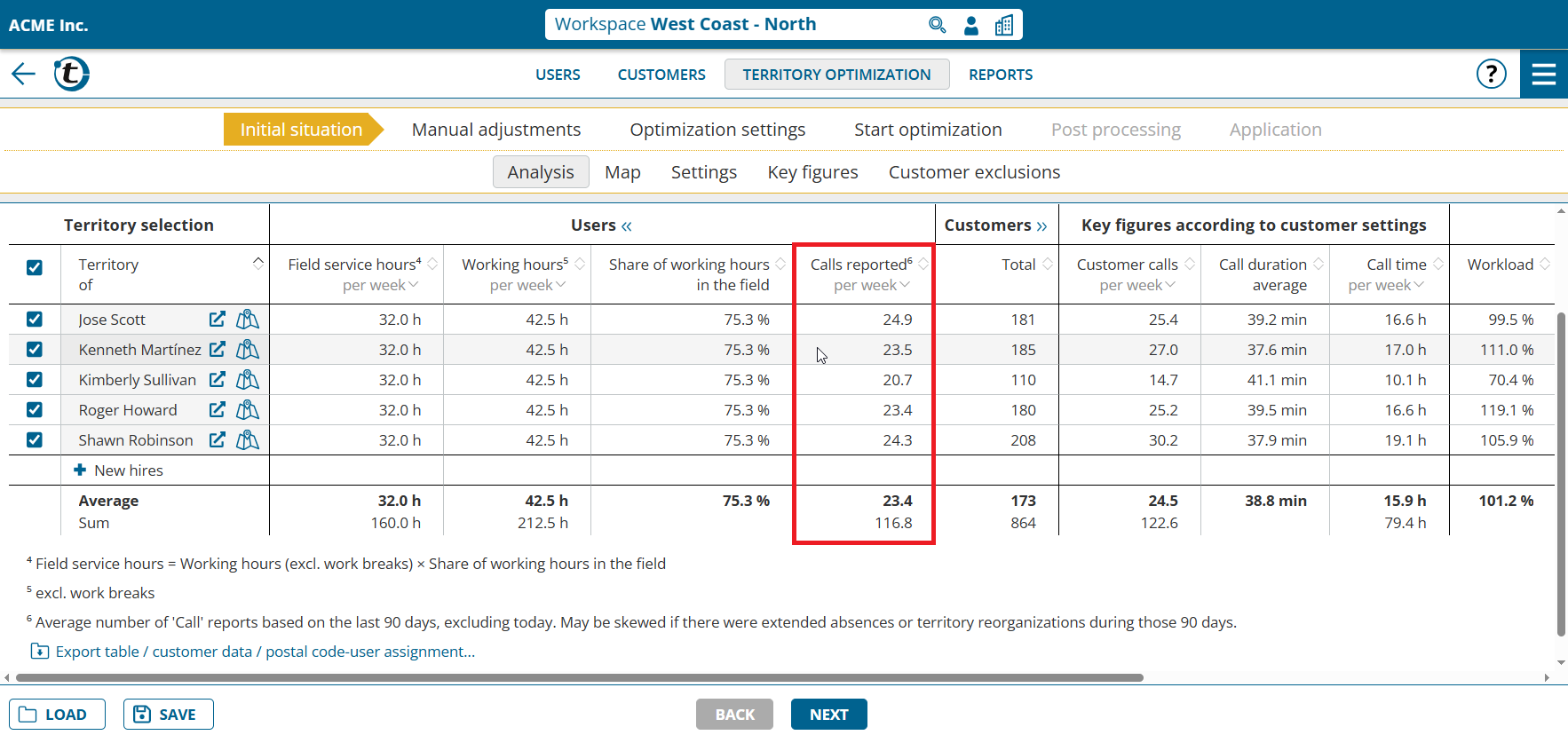
Notes:
- The value is only meaningful if call reports are created in portatour®. The automatically created reports are sufficient for this.
- The value is based on reports of the “Call” type from the last 90 days. It may be distorted if longer absences or territory restructurings took place during this period.
- If fewer than 90 days of call reports are available, the value is extrapolated and marked accordingly.
Better display of new employees
To make the territories of new employees easier to recognize, their customers are now displayed with hatching.
In addition, new employees with an automatically determined home location receive the proposed home location as a name suffix, for example “New (Seattle)”. This makes them easier to identify throughout Territory Optimization.
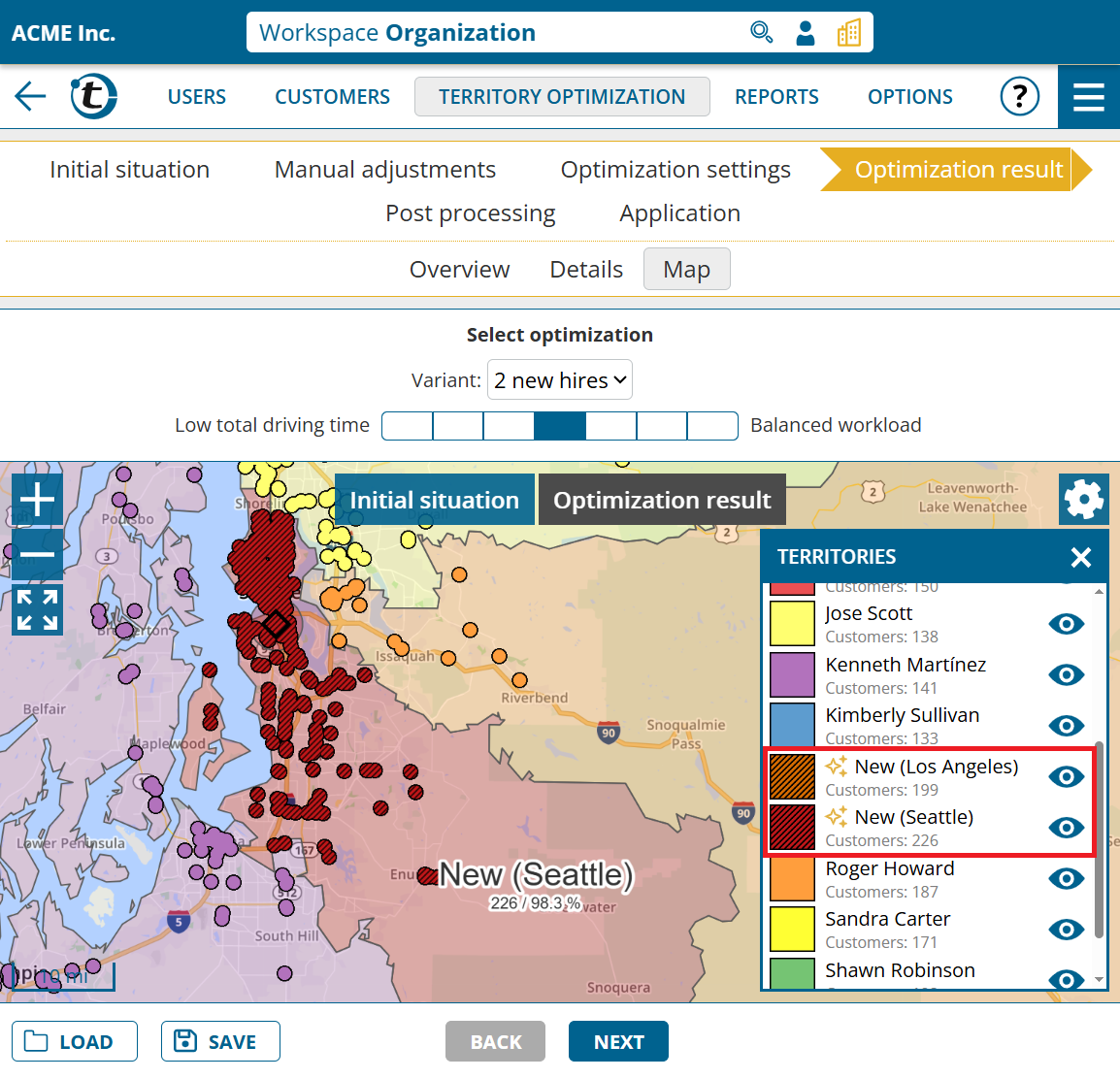
Note: The location suffix in the employee name is only assigned for new optimizations.