Calendar subscriptions: handling of private appointments configurable
Private appointments from your external calendar were previously imported into portatour® unfiltered, including title and location. From now on, a new default applies to all calendar subscriptions: only the time is imported; title, location and further details are not.
To adjust this behavior, proceed as follows:
- Open the Options.
- Click Calendar subscriptions.
- Edit an existing subscription or create a new one.
- For the desired calendar, select Subscribe with custom settings.
- Under Appointments marked as ‘Private’, select the desired option:
-
- Include completely
- Only take the time and address
- Only take the time (default)
- Do not include
User list: mass editing of user group membership
This update affects administrators of company accounts with at least two users.
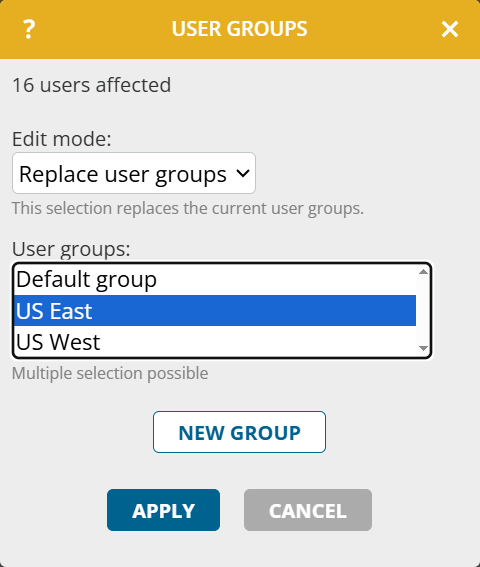
From now on, you can edit the user groups for multiple users at the same time via mass editing. You can not only replace all user groups, but also add or remove individual user groups.
Proceed as follows:
- In the Workspace Organization, open the menu item Users.
- Use selection mode or extended search to select users.
- Click Edit selected or Edit all X.
- Click More > Edit user groups.
- Select the Edit mode and the user group. Create a new group if needed.
- Click Apply.